Bank of America Card Application
Verified contacts
Taken from the company's own website and checked on 2026-08-25. Companies change these — if something does not match, the official site wins.
- Phone
- 1-866-994-1566 Puerto Rico and Canada
- Phone
- 1-800-878-7878
- Phone
- 1-888-654-6837
Support hours: Mon-Fri 7am-10pm or Sat-Sun 8am-5pm local time
Official website: bankofamerica.com
Be the first to rate this page
Online banking has been made more convenient with the Bank of America’s My New Card program at www.mynewcard.com. Members can use this program by setting up an online account and should only take about 5 minutes. Have much quicker banking solutions with the help of this system.
Starting up the My New Card application, you will have to enter your Personal Secure code and your ZIP code. If you have misplaced or lost your PS code, you can call Bank of America’s toll free line 1-800-932-2775 for assistance. You can also find your code on the invite promotional material which you receive via email.
This credit card application program at MyNewCard.com is guaranteed secured, aligned with the security programs set and administered by Bank of America. All your personal details are remained private as you do your transactions on the site. As you enter the member’s page and enter your personal secure code, you are to provide your needed personal details.
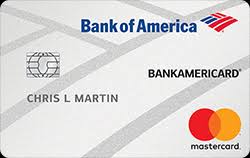
MyNewCard requested information
- Name
- Birth date
- Address
- Email address
- Social Security Number
Then, agree to the terms and conditions. As you submit your application, it will be held in moderation. Your applications will go based on the credit you have been pre-qualified to. You will then receive a high acceptance rate. Most of the time you’ll get immediate response through email from mynewcard.com, and within five business days you will receive a notification of their decision to whether or not accept your application.
Find a Bank of America location near you
Use the location finder on bankofamerica.com and allow location access, or enter a ZIP code, city, or street address. Review the results before leaving home. A result may be a financial center, an ATM, or both, and each can offer different services.
Select a location to see its current status and the hours shown for that specific day. If you need a teller, account help, or another in-person service, confirm that the result is a financial center rather than an ATM. Also check for holiday notices and temporary closures.
For “open now” results, refresh the search and verify the date and local time. Do not rely only on an old search result or map listing. Calling the selected branch through the number shown in the official locator can help confirm access before you travel.
Sign in and check your Bank of America account
To reach an existing account, start at bankofamerica.com and choose the sign-in option. Check that the page clearly identifies Bank of America before entering your online ID or password. Avoid signing in through an unexpected email or text message.
After signing in, choose the account you want to review. The account screen should show the available balance, recent activity, and any pending transactions. A pending card purchase or deposit may not yet be included in the same way as a completed transaction, so open the transaction details if the balance looks unfamiliar.
If sign-in fails, check for typing errors and make sure the correct online ID is being used. Use the recovery option on the official sign-in screen if the password or ID is forgotten. Repeated guessing can make access harder, so stop and use recovery when the same error continues.
When the website is down or support is needed
If the Bank of America website will not load, first switch between Wi-Fi and mobile data, close and reopen the browser, and try a private browsing window. A blank page on one device may be a browser problem rather than a full service outage.
Do not enter account details into a different site that claims to be a replacement. Wait and try the official website again. If the issue is urgent, use the customer service number printed on the back of the card or shown on an official statement. This avoids outdated or fraudulent numbers found in search results.
Customer service availability can depend on the account type and the reason for the call. Listen to the recorded menu for current availability, or check the contact area of the official site. Have the card or account information and a way to verify identity ready, but never share a one-time security code with someone who contacted you unexpectedly.
Was this page helpful?
Be the first to rate this page