ClinCard CardHolder Log In
Be the first to rate this page
Manage your account in the ClinCard Portal by logging in with your unique user-name and password through www.myclincard.com. When you log into your account you can manage reimbursement and compensation unsettled or unpaid to you from any ClinCard participating trial clinics. Have your card activated when you make your first deposit.
You may use your ClinCard credit or debit option when making in-store purchases. You will be require to key-in your PIN number when you choose debit option. If you decided to use the debit option make sure to contact their customer service through phone at 1-866-952-3795 and get your personalized PIN number. Aside from in-store purchases, you may also use your ClinCard for online shopping and withdrawal of cash from ATMs as well. Please be reminded that in order for you to make a cash advances from your bank, you must be aware of your current account balance and then inform the bank teller of your desired to withdraw. Tellers or vendors are not capable of checking your account balance so make sure to check your balance first. Present your ClipCard to the bank teller or merchant together with your valid government issued photo ID.
You can check your account balance by logging in to your ClinCard online account through myclincard.com. Aside from using the card as a debit card, you may also use it as a credit card for in-store shopping and online purchases. Using the credit card option will not require you to enter your PIN number.
If you are a Card Holder but you still don’t have an online account, you can register your card by clicking the “here” link located in the myclincard login page. You will be asked to provide your card number, create a user-name, your valid email address, create a password and rewrite your password.
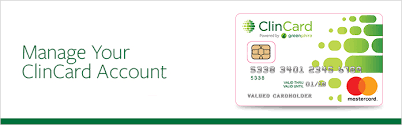
You will not be charged when you use your ClinCard when checking your balance, online purchases or in-store shopping and when you reload cash to your card. If you don’t use your card within 180 days, you will be charged with a monthly fee. Some ATMs will not charge you for withdrawal fee depending on the machines location.
For purchases that are beyond your current balance, make sure to inform the cashier, teller or vendor that your cards’ current balance is not sufficient for the purchase and pay the remaining balance through cash, check and other payment options.
If you forgot user-name and password for your my clin card online account, you can retrieve it by clicking the “Forgot user-name and password?” link. Provide the required information in order for you to retrieve the information you need.
Open the Cardholder Portal Safely
Start at the company’s official website instead of using a link from an unexpected text message or email. Check that the page identifies itself as the ClinCard cardholder portal before entering any account details.
Have the physical card nearby. If the portal asks you to confirm card or identity information, copy it carefully and use the same personal details that the participating trial clinic has on file.
After signing in, look for the account overview or card summary. Portal labels may vary, so use the menu for the task you need rather than relying on your browser’s Back button. Sign out when finished, especially on a shared phone or computer.
If the Portal Will Not Open or Accept Your Details
First check for typing problems. Remove any spaces added by your phone, confirm that automatic capitalization has not changed an entry, and enter the details again. Avoid repeated rapid attempts because the account may be temporarily locked for security.
If the page itself will not load, try these steps:
- Switch between mobile data and a trusted Wi-Fi connection.
- Close the browser, reopen it, and start again from the company site.
- Try a private browsing window or clear saved ClinCard site data.
- Turn off automatic translation or password filling if it changes the form.
If the problem continues, use the support information printed on the card. Keep the card with you, but do not send its full number, security code, or account password in an ordinary email or text message.
Complete Cardholder Activation
Card activation and portal account setup are separate tasks. If the card is marked as inactive, follow the activation instructions supplied with the card or use the activation option shown on the official cardholder service. Keep the card and the personal information given to the trial clinic ready.
- Choose the card activation option.
- Enter only the card and identity details requested on the secure screen.
- Review each entry before submitting it.
- Wait for an activation confirmation before trying a transaction.
If the service cannot match your information, do not guess repeatedly. Check whether your name, mailing details, or other identifying information differs from the clinic’s record. Contact the participating trial clinic if a correction may be needed or if you received the wrong card.
Activation does not create a missing study payment. If activation succeeds but an expected payment is not shown, contact the trial clinic or study coordinator so they can check the payment record.
Was this page helpful?
Be the first to rate this page