Tax Collector Services
Be the first to rate this page
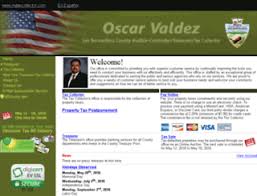
Open the San Bernardino County Auditor-Controller/Treasurer/Tax collector if you want to have an online access to your tax bill, information, or if you want to pay your taxes and more at www.mytaxcollector.com. Having this online access to anything related to your taxes, you don’t have to go to the office of the treasury to pay your taxes. It’s made available to you all as long as you have an internet connection. You are sure to be treated fairly and in professional manner with the exceptional staffs under Larry Walker.
Tools are provided online to give you convenience when conducting business with San Bernardo tax collector through mytaxcollector.com. Have a safe, efficient and effective way of handling your business like paying for your property tax. Not only that, they serve you with anything concerning taxes, but they will also provide banking services to those department of the county who are willing to invest in the treasury pot. Auctions are also available online for purchases on defaulted properties.
Online Services available on MyTaxCollector:
- Information of Your Property Tax
- Online Payments
- Print Bill Copies
- Help You Understand Your Tax Bill and Postmarks
- Information on New Homeowner
- Programs for Tax relief
- Information on Tax Sale
- Refunds for Unclaimed Property
- Tax for Transient Occupancy
- Clearances for Mobile Home
- Tax payments in Bulk
Presently, my tax collector serves more than 730,000 property owners, 42,000 businesses and up to 40 school districts. The numbers don’t lie. More and more people are using this very convenient, safe, efficient and effective way on dealing with your taxes. Pay your taxes online using any of your credit cards without even leaving the comforts of your home.
For questions or concerns, business hours are from 8:00 Am to 5:00 PM Monday through Friday at (909) 387-8308. You may also make contact by sending an email through the “contact us” page.
How to collect your payment tracking number
After submitting a tax payment, wait for the confirmation screen to appear. Do not close the page or use the back button while the payment is processing. A tracking number may be labeled as a confirmation number, reference number, receipt number, or transaction number.
Copy the number exactly as shown. Take a screenshot and save or print the receipt if those options appear. Also note the parcel number, payment date, and payment method. These details can help staff locate the transaction if the tracking number is lost.
If you provided an email address during payment, check for a confirmation message. Look in spam, junk, and promotions folders as well as the main inbox. Search for the parcel number or words such as “tax payment,” “confirmation,” and “receipt.” Allow time for the message to arrive before submitting another payment.
If no tracking number appears
First, check whether the payment actually went through. Return to the company’s official website using a fresh browser tab and look for a payment history, receipt lookup, or tax-bill status option. Enter the same parcel or assessment information used for the payment. A recently submitted transaction may remain pending before it appears in the account or against the bill.
Check your bank or card activity for a pending or completed transaction. A bank entry alone may not contain the county’s tracking number, but it can help identify the payment. Do not make a second payment only because the confirmation page failed to load.
If you still cannot find the number, contact the Tax Collector and ask for help locating the transaction. Have these items ready:
- The parcel or assessment number
- The property owner’s name
- The date and approximate time of payment
- The payment method and last four digits of the account used
- The email address entered during checkout
- Any screenshot, bank reference, or error message
Do not send a full card or bank account number by ordinary email. Ask the representative which details can be shared safely and request the tracking number or a replacement receipt once the payment is located.
Was this page helpful?
Be the first to rate this page