CertiPay Employee Login
Verified contacts
Taken from the company's own website and checked on 2026-08-25. Companies change these — if something does not match, the official site wins.
- Phone
- 1-888-655-8686
- Phone
- 1-800-804-0696
- Phone
- 1-877-476-0877
Official website: certipay.com
Be the first to rate this page
Manage your online account on CertiPay payroll and human resources services through www.mycertipay.com. Using your company code, your username and your password to log into your account. If you are new to the employee portal and forgot your password or your username, all you have to do is click the links below to recover your username and password.
The registration process is easy. All you have to do to get started is click the “Employee Registration” button on the menu bar near the mycertipay.com logo. Complete the field required for the registration and be sure to enter a complete, valid and accurate information before submission of registration.
Requirements for Employee Registration on MyCertiPay
These following personal information must be accurate and complete for the online account to be activated by My Certi Pay.
- Company code
- Social Security Number
- Employee number
- Unique Username
- Password and Password Confirmation
- Valid and working email address
- Choose between two security questions and answers
- Fill in the required chapcha text
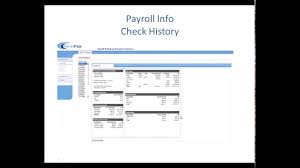
Being a member of the Payroll and Human Resources Services of Certipay to can have access to job payroll information. You will be able to view payout history and or setup payments for direct deposits. Payroll made easy by my Certipay.
Find the right “cert login” page
If you searched for “cert login” to reach your CertiPay employee account, start at certipay.com. Check that the page shows CertiPay employee access before entering any personal information.
Avoid sign-in pages reached through unexpected texts, emails, pop-ups, or ads. A page with a similar name may belong to a certification program, school, insurance service, or another employer system. If you are unsure, use the portal information supplied by your employer or ask your payroll or human resources contact which page your workplace uses.
Your employer’s company code identifies the workplace account. It is not necessarily the company’s public name. If the code is missing or rejected, check an onboarding message, payroll document, or internal employee guide. If you still cannot confirm it, contact the person at work who handles payroll or portal access. Do not guess repeatedly, because failed attempts may temporarily block access.
If the CertiPay sign-in screen does not work
First, type the details instead of using saved entries. A browser may fill an old username, password, or company code. Check for extra spaces, automatic capitalization, and characters that are easy to confuse.
If the page itself will not load or a button does nothing, try these steps:
- Refresh the page once and wait for it to finish loading.
- Open it in a private browsing tab or another current browser.
- Turn off automatic page translation for the sign-in screen.
- Switch between Wi-Fi and cellular data if one connection is unstable.
- Clear stored site data only if simpler steps fail, since this may sign you out of other sessions.
If your details work but payroll information is missing, incomplete, or tied to the wrong employer, stop changing account settings. Save a screenshot that does not expose your password or full Social Security number, note the time and the message shown, and report the issue to your employer’s payroll or human resources contact. That person can confirm whether your employee record and portal access are connected correctly.
Was this page helpful?
Be the first to rate this page