ExamOne Laboratory Results
Be the first to rate this page
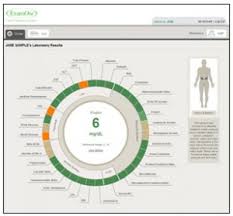
Sign in to access the virtual laboratory results of ExamOne diagnostic company at www.myexamone.com/results. Fast information is available because Exam One works in tandem with known insurance companies. Clients are also requested to assist in providing factual medical details. This is important when you need to issue your policy.
Understand your exam results as soon as possible by taking an inside look by way of myexamone.com/results. During your examination, you will receive a pamphlet containing your barcode digits. Use the number to fully accomplish your registration steps and access your account.
Registration Process for MyExamOneResults
Press the Register “Here” button found on the exam one sign in page.
Keep in mind that this program requires the participation of your current insurance provider before you can qualify to enroll. In case that you receive a notification that your laboratory exam results are not yet available, contact your coverage agent or provider immediately. Inquire further regarding your examination results and its availability.
Input the name of the insurance provider with which you have enrolled for coverage recently. Press the Next button. Contact your current coverage agent or refer to your enrollment process documents if you do not know the company name of your insurance provider. It might be that your insurance provider is not a participant of the program. If this is the case, it is most likely that your insurance company has an alternative method of distributing laboratory results to clients.
Provide your personal details after your insurance coverage provider was verified successfully. These details are, your:
- Email address
- Password
- Barcode Digits
- Surname
- Given Name
- Birthday
- Postal Code
You must expressly agree to the set terms and conditions of use. Every my exam one results user must provide consent to be monitored for security and administrative reasons. Unauthorized access and by nonmembers constitutes criminal and civil liabilities punishable under applicable law.
Contact customer service about missing results
If your results are missing, first confirm that you are using the same name, email address, date of birth, and ZIP code provided at the examination. Small differences, such as a nickname or an old ZIP code, can prevent customer service from finding the correct record.
Use the customer service or contact option on the company’s official website. Before contacting ExamOne, have the following information ready:
- Your full legal name and date of birth
- The date and location of the examination
- Your barcode, if you still have it
- The name of the company or professional who requested the examination
- The email address used for your results account
- The exact error message shown on the screen
Ask whether the record can be located and whether it has been released for online viewing. Customer service may be able to explain an account, identity-matching, or access problem, but it may not be able to interpret medical findings or change a laboratory report.
Get help with account access
If the results appear to be available but you cannot sign in, use the password-reset option before sending a support request. Check the spam or junk folder for the reset message. Make sure you are checking the inbox connected to the email address originally used for the account.
If the reset message never arrives, tell customer service which email address you tried and whether the page displayed an error. Do not send a password, Social Security number, or full copies of identity documents in an ordinary message. Follow only the secure verification steps provided through the company’s official website.
Questions about what the results mean
For an explanation of test values, contact a licensed health professional who knows your medical history. Customer service can help with delivery or access, but medical questions require clinical guidance.
If a report appears to contain another person’s information or incorrect personal details, stop viewing it and report the problem promptly. Describe the mismatch without forwarding the full report. Keep the barcode and any support reference number until the issue is resolved.
Was this page helpful?
Be the first to rate this page