Activate your Walmart Money Card
Verified contacts
Taken from the company's own website and checked on 2026-08-25. Companies change these — if something does not match, the official site wins.
- Phone
- 1-877-937-4098
Support hours: 24 hours
Official website: walmartmoneycard.com
Be the first to rate this page
Activate your WalMart MoneyCard online today by using www.walmartmoneycard.com/activate. If you do, you may start enjoying the benefits that this feature has to offer. After all, the MoneyCard is accepted almost everywhere!
The WalMart MoneyCard is convenient to carry around; aside from the fact that you can securely place it in your wallet, it is also very flexible. You may use it to shop from different stores, pay for your bills and even withdraw cash from it like an ATM. Find out how you can activate yours from walmartmoneycard.com/activate.
What is the WalMartMoneyCard/Activate Service?
WalMart is one of the largest retail chains operating in the United States. It has created this feature to help customers like you manage your shopping expenses more efficiently. Since this feature doesn’t have a credit line, it will prevent you from spending money that you don’t have. Unlike when you use credit, you tend to spend more than what you have planned and usually end up in debt.
You may load your WalMart MoneyCard with cash whenever you please. It is also widely accepted in various stores, restaurants and boutiques. All you have to do is complete a simple registration process and you can start enjoying the benefits that it has to offer. In addition, carrying plastic is always safer than having cash in your wallet. So, what are you waiting for? Activate your Card now!
How to Activate Your WalMart MoneyCard Online?
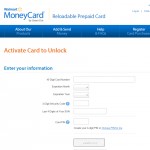
You will need to have access to any computer or device that is connected to the Internet. Make sure that you have your WalMart MoneyCard with you and that you’ve already taken note of your social security number. Here’s how you can activate your card online:
- On http://walmartmoneycard.com/activate, you can begin the process of registering your card.
- Before clicking on the ‘Next’ button, make sure that you have entered all your information correctly – the last 4 digits of your Social Security Number, identifying code and the information required on the virtual form.
- Follow the step-by-step instructions to successfully complete the activation process of your MoneyCard.
- If you need further assistance, you may get it from https://www.walmartmoneycard.com/walmart/help.
How to check Walmart money desk hours
Money desk hours can vary by store and by day. They may also differ from the main store’s opening hours. Do not assume the desk will be open just because the store is open.
For the most reliable schedule, use Walmart’s store finder on walmartmoneycard.com. Select your exact location and look for Money Services or MoneyCenter in the store details. Check the day carefully, especially if you plan to visit on a weekend or holiday.
If the store page shows only general store hours, call that location and ask when the money desk closes. Say which service you need, because availability can depend on the service and the time of day.
Are the money service desk and customer service desk the same?
Store signs and listings may use names such as MoneyCenter, Money Services, or money service desk. Some locations handle these services at a separate counter. Others may direct customers to the customer service desk.
When checking the schedule, look for the hours attached to the specific department rather than relying on the hours shown for the whole store. If no separate department is listed, ask the store where money services are handled and when that counter is available.
This distinction matters when you need help late in the day. A customer service desk may be staffed while a particular money service is no longer being processed.
What to do before going to the desk
Confirm the schedule on the day of your visit. Department hours can change because of holidays, staffing, or temporary store conditions.
Have the following ready before you leave:
- The exact Walmart location you plan to visit.
- The name of the money service you need.
- Your MoneyCard and any identification or documents required for your request.
- A backup store location in case the first counter is unavailable.
If you are already at the store and cannot find the desk, ask an associate for Money Services or MoneyCenter. If the counter is closed, ask when it next opens and whether the customer service desk can handle your specific request. Do not hand your card, identification, or account details to anyone who is not working at an official store counter.
Was this page helpful?
Be the first to rate this page