My Blue KC
Verified contacts
Taken from the company's own website and checked on 2026-08-25. Companies change these — if something does not match, the official site wins.
- Phone
- 1-800-221-2362
- Phone
- 1-800-892-6048
- Phone
- 1-833-467-2139
Official website: bluekc.com
Be the first to rate this page
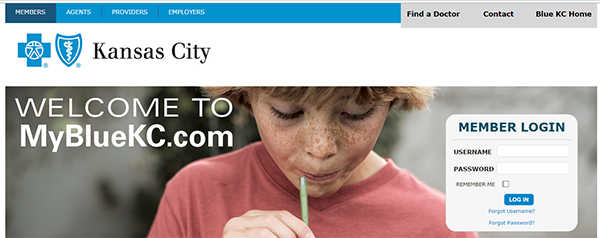
Access your Blue Cross account through Blue Shield of Kansas City and log in with your username and password using www.mybluekc.com. Get convenient means of addressing your health plan concerns conveniently from your personal computer. This member portal has a lot offer concerning your health information, claim history viewings and even allows you to view personalized coverage details with a number of cost-saving tools you can use with the members page.
Registering your own account is easy as 1-2-3! Just click on the “Register now” button and get a hold of the great benefits you can gain online. At mybluekc.com you can get quick access to your health information, find an available doctor, order new ID cards or even check your claim status at the touch of your fingertips.
Registering a MyblueKC Account
Create your My Blue KC profile as soon as you get yourself registered. Your ID card information will be used to verify your membership and allow you to create your username and password. Enter the following details for you to complete the process of registration:
- ID number
- Suffix
- Group number
- ZIP Code
- Date of birth
- Email address
- Username
- Password
Create a username from six to 50 characters with a mixed combination of alphanumeric and special characters (letters, numbers and symbols), and a password from 8 to 20 characters of the same combination.
When you’re ready to continue the process, click ‘Continue’. You will need to select your verification questions and provide the corresponding answers. You will need them in case you forget your password as you log in to the portal. Confirm all the entered information you provided and submit them for your full access to the Blue Cross and Blue Shield of Kansas City member portal.
In case you lose or misplace your ID, you can contact customer service by dialing 816-395-3558 or 888-989-8842. They are available on weekdays from 8 AM to8 PM.
Your member homepage will display important information regarding your blue KC policy as soon as you have successfully registered and logged in. There are many features you can explore on the portal which suits your preferences as a user. If you have any specific details or info to search to, you can try their intelligent search feature. Be assured you will get quick response to every query you acquire from them. You can also get similar responses to questions you may submit to their FAQ sections which can definitely be of help for your inquiries.
There are a lot of services that you can avail on the My Blue KC portal. The Benefits section contains graphs and tables which helps you keep track on your payments. You can access a summary of your desired medical benefits by clicking on the Medical Benefits tab in your member portal. The Claims section can give you a 24-month summary of your claims. It easily helps you track your health expenses in a year. The Get Care Guide section helps you to know more about the insurance you can get, and answers some of the common questions regarding insurance.
The My Blue KC member portal does give you a more convenient access to getting multiple information needed all at the same time. They can help you save a lot of time in your queries and other personal transactions by the many features they have in store for you. Being a registered member at My Blue KC, navigating through healthcare passes has become much easier. Get to use their time and cost-saving tools, tailored fit for your healthcare needs.
Make sure you are using the right MyBlue account
“MyBlue” can refer to more than one Blue Cross and Blue Shield member service. An account created for another plan or employer may not work with Blue KC, even if the pages look similar.
Start at bluekc.com instead of using an old bookmark or a result from a web search. Check that the page identifies Blue Cross and Blue Shield of Kansas City before entering private information.
If your details are rejected, compare the name on the page with the name on your current insurance card. Also check whether your coverage recently changed. You may be trying to use credentials connected to a former plan.
Recover access to your MyBlue account
Use the username or password recovery option shown on the sign-in screen. Have access to the email account connected with your membership. Enter information exactly as it appears in your member records, including any spaces, initials, or suffixes when requested.
- Request recovery only once and wait for the message to arrive.
- Check spam, junk, and filtered mail folders.
- Open the newest recovery message, since an older reset request may no longer work.
- Create the new password on the recovery page, then return to the sign-in screen and type it manually.
If you no longer control the saved email address, or the recovery page cannot match your information, use the customer service details printed on your insurance card. Ask for help updating your online account access. Do not send health information or full identification numbers through ordinary email.
Fix a sign-in page that keeps failing
First check for simple typing problems. Turn off Caps Lock, remove accidental spaces, and make sure your phone has not automatically changed the first letter to uppercase. A password manager may also be filling credentials for a different MyBlue service.
If the page reloads, stays blank, or returns you to the sign-in screen, try these steps:
- Close the browser tab and open a fresh one.
- Use a private browsing window or clear saved site data.
- Temporarily disable automatic form filling and type the credentials yourself.
- Try another current browser or switch between Wi-Fi and cellular data.
- Allow cookies for the session, then sign out when finished.
After several unsuccessful attempts, stop guessing so the account is not further restricted. Use the recovery process or the support information on your card. On a shared device, do not save the password, and close every browser window after signing out.
Was this page helpful?
Be the first to rate this page