Vanilla Prepaid Card Account
Be the first to rate this page
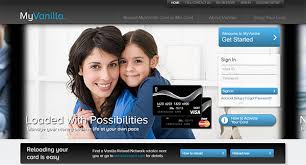
Manage your account or have your Vanilla MasterCard or Visa debit card activated through www.myvanilladebitcard.com. Sign in using User Id and your password at the designated boxes and click the “Sign In” button and have access to your account. If you do not have an account yet, setting up is easy. Click on the “Account Setup” link to get you started. You will then be redirected to a page where you will have to fill in your Vanilla or Mio debit card number together with its security code. The security code is a three digit code located on the back of your debit card.
Make sure to check your current Vanilla Debit card balance before you make your purchase. If you have an online account with myvanilladebitcard.com, all you need to do is to sign in to your account and check your account balance. No need for you to go to an ATM machine. Check your balance online and on-the-go made possible by having a MyVanilla online account. Every time you use your card at an ATM machine to withdraw funds, always select “checking” when you are offered an account option.
Reloading a MyVanillaDebitCard
Merchants have no means to determine your card balance, so if you purchase an item of higher value than your card balance, your purchase will be declined. Some merchants or retailers may offer a second method of payment, you can use cash, other debit or credit cards or your check to settle the remaining balance.
If your VanillaCard has run out of funds, you may visit the myvanilladebitcard website, then click the “Reload MyVanilla Card or Mio Card” link and apply for funds. You can also have your card reloaded at Vanilla Reload Network retailers near you and reload from .00 up to 0.00. You will be charged .95 reload fee. You may also call them at 1-888-429-8140 to apply for funds.
Vanilla Reload Network Retailers
- CVS pharmacy
- Dollar General
- FAMILY DOLLAR
- Freds Super Dollar
- 7 ELEVEN
- Walgreens
- Office DEPOT
- Walmart
For your questions, concerns and inquiries about your My Vanilla Debit Card or account, you may call 1-855-686-9513. For your Mio Card or account contact them at 1-866-840-6461. You may also visit their FAQ page by clicking the “FAQ/Contact Us” link located at the top of my vanilla debit card homepage.
Identify which Vanilla prepaid card you have
Start with the exact name printed on the front and back of the card. Vanilla sells different prepaid products, and their account tools are not always interchangeable. A gift card, a reloadable card, and a card marked MyVanilla may use different balance and card-management pages.
Keep the card in front of you and look for:
- The full product name
- The payment network logo
- The card number and expiration date
- The security code on the back
- Any activation or account instructions printed on the card or its packaging
Use those details to choose the matching product at the company’s official website. If the page rejects the card number, do not keep guessing passwords. Go back and confirm that you selected the correct type of Vanilla card.
Check a Vanilla prepaid balance without mixing up card types
For a card that does not use an online account, select the balance-check option for that specific product at the company’s official website. Enter the card details exactly as printed. Check for a transposed digit, an incorrect expiration date, or a security code entered from the wrong location if the card is not recognized.
The displayed available balance may differ from what you expect after a recent purchase. A transaction can remain pending before it becomes final. Some businesses, including fuel stations, restaurants, and hotels, may also place a temporary authorization hold. That can reduce the amount available even though the final transaction has not posted.
Review recent transactions when the balance looks wrong. Save receipts until purchases are final, and compare each completed transaction with the receipt. If you see a transaction you do not recognize, use the support instructions printed on the back of your card rather than details found in a search result.
What to do when a Vanilla prepaid card is declined
A decline does not always mean the card has no funds. Before trying again, confirm that the card is activated, the expiration date has not passed, and the available balance covers the complete transaction.
Also check how the payment form is treating the card. Enter the card as a regular payment card unless the merchant gives different instructions. For an online purchase, make sure the card details match the information requested and remove accidental spaces from the card number.
If the same transaction is submitted several times, temporary pending authorizations may appear. Stop retrying, check the transaction list, and wait for the merchant or card issuer to resolve pending entries. Keep the card and receipt available if you need to report the failed purchase.
Was this page helpful?
Be the first to rate this page