Sears Credit Card Options
Be the first to rate this page
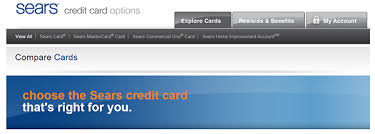
Manage your Sears credit card options account and choose from rewards, options and benefits through www.mysearscard.com. Choosing your Sears credit card has never been this easy. You can select your card based on its features and special offers. To optimize your selection, the site page offers a side-by-side comparison together with it specific details to help you choose one that is right for you.
Each selection has its own specific information on display to make sure you get the right Sears credit card that you need. This information include application process, what it is best for, special offers, where to use, account benefits, security and protection, and the terms. Have access to thousand and more brand names. Choose the offer that gives you the greatest deal, convenience and that allows monthly payments. Each has its own unique features, one provides monthly savings and gives out special offers, while others allow large purchases such as home improvements.
Applying for a MySearsCard
When you have decided for the right card for you, after carefully viewing its options and benefits and offers, click the “Get Details & Apply” button to start the process for application. You will then be redirected to another page and will be asked to choose between a off when you are approved and make your purchase today or a six months special financing on purchase made on the same day.
Application Requirements:
- Must be of legal age (18 and above)
- Photo ID and a valid Social Security Number
- Required personal information includes the following:
- First name
- Last name
- Email address
- Home address (No. P.O. Boxes)
- Home Phone Number
- Additional phone numbers (optional)
- Financial Information
- Annual income
- Residence status
- Monthly mortgage or rent payment
After approval of your Sears credit card, you will have the privilege to access exclusive benefits and special offers. Only members will receive monthly coupons and savings, special financing offers, and zero liability for all unauthorized purchases. You can also add an additional credit card user with no extra fee. Lost or forgotten your card? Sears and Kmart will give you a temporary shopping pass to use. It can be used at Kmart, Sears, Kmart.com, Sears.com, lands in and much more. Worried your identity may be stolen? Worry no more because you are under Citi identity theft solutions.
Online Account Management
Once registered, you can login directly to your account through the use of your user ID and your password. If you are a first timer, you may want to register first and fill in the required information. By logging in you will have an access to view your balance, payment due date, statements, and recent purchases or transactions any time.
Features
- 24/7 Access to account information
- Get online statements
- Check activity
- Payment history
- Request for increase on credit limit and balance refund
- Do online payments
- Initiate transactions online
- Paperless transactions and statements
- Replacement requests
If you have inquiries or if you need assistance regarding your account or concerning account application, you can proceed to the “Help and Support” section of the main page located at the bottom right-hand side corner. For technical difficulties, you can reach them at this phone number 1-800-815-7701. Immediately report stolen or lost cards using this phone number 1-800-819-9000. For lost Commercial One call 1-800-599-9712. You can activate over the phone by calling 1-800-589-7327. For payments send to Sears Card Payments, PO Box 183081, Columbus, OH 43218-3081
Choose the right sign-in route
Start at the company’s official website and select the sign-in choice that matches the account shown on your card or statement. Sears has offered more than one type of credit account, so a saved bookmark or search result may open the wrong sign-in screen.
If your details are rejected, check the account name before trying again. Do not keep submitting the same information on a page meant for a different card type.
Other sign-in options may appear when they are available for your account or device. These can include using saved credentials or an identity check instead of typing everything again. Follow only the choices displayed on the official sign-in screen.
Recover access when sign-in fails
Use the recovery option beside the sign-in form if you cannot remember your credentials. Have the card and the personal details connected with the account ready. Enter the information exactly as it appears in the account records.
- Check for extra spaces or automatic capitalization.
- Use the current billing information if you recently moved.
- Make sure your browser is not filling in details for another account.
- Request a fresh recovery message if an older one has expired.
If the page loops, stays blank, or will not submit, close other tabs for the account and try a private browser window. You can also clear stored site data or switch from Wi-Fi to mobile data. Avoid repeated attempts if the account becomes locked; use the support choice shown on the official page instead.
Check current Sears customer service hours
Customer service hours can differ by department, account type, day, and holiday. Because schedules change, confirm them through the Help or Contact area on the official site before calling. Look for the department that matches your issue, such as card servicing, online access, or a store-related question.
If no schedule is displayed, begin the call and listen to the recorded message. It usually states whether the department is available and may give the next service period. Have your card, a recent statement, and notes about the problem ready so you can continue quickly when an agent is available.
For a locked account or a payment concern, use the contact details printed on the back of your card or on your latest statement. That helps route you to the team responsible for your specific account rather than general Sears customer service.
Was this page helpful?
Be the first to rate this page