MyChart Penn Medicine
Verified contacts
Taken from the company's own website and checked on 2026-08-25. Companies change these — if something does not match, the official site wins.
- Phone
- 1-800-789-7366
Official website: pennmedicine.org
Be the first to rate this page
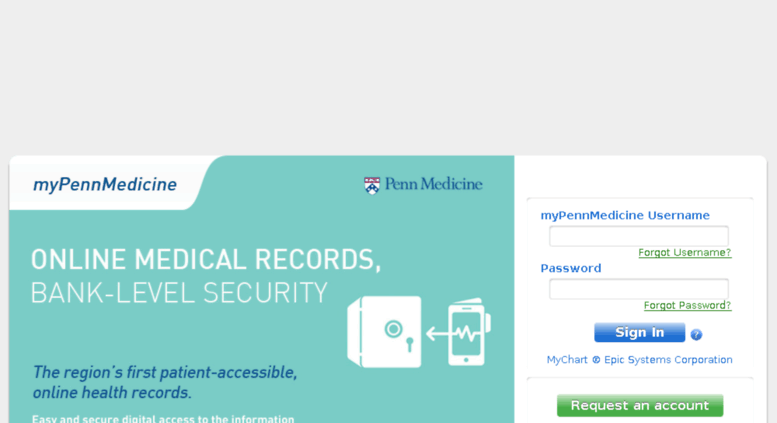
Apply for an access with your medical care team through www.mypennmedicine.org. This is your convenient source of important information whenever you require it. You can also use the portal as a secured communication venue with your medical team. Sign in to your membership account for appointments, medication refills, referrals, test results and more.
Every valid member is required to use an authenticated username and validated password. You can use the activation code to activate your account at mypennmedicine.org. It is also recommended to request for a new account if you are a new user. Keep in mind that you should only request for activation codes if you do not own an access yet. Locate the online reset form in the event that you have forgotten your password. Another purpose of the reset form is the retrieval of forgotten usernames.
Account Enrollment for MyPennMedicine
Input the following data in the appropriate personal details fields to activate your new access:
- First name
- Last name
- Address
- City
- State
- Zip code
- Country
- Date of birth
- Gender
- Remaining 4 digits of Social Security number
- Verified email address
- Home phone number
- Provide the correct captcha
You must be 18 years old or above so that you will be eligible to create your access. Fill out the entire activation form except for the optional details. Your supplied information must be a complete match with the database records to release the activation code. The activation code is emailed immediately after submitting your account enrollment form. A support representative will contact you if the submitted details do not match with your records. Please expect the instructions to arrive in your email within three to five working days.
Benefits of MyPennMedicine Membership
- Quick access to test results
- Direct and unhindered communication with your medical care team
- Online renewal of prescriptions
- Set appointment schedules
You do not have to wait for the return phone call or frequently check your mailbox for your test result. The results of your test together with any comments from your doctor will arrive in just a few days. It is not necessary to visit the clinic or any medical institutions for your enquiries. You can receive the answer to your medical questions at home.
Request for medication renewals can be made through your online account. This is a very convenient method for getting medication refills. Set your medical appointments in advance by using your online access. You can also view your previous and future schedules.
The impact of My Penn Medicine application is evident in every patient. Use the program at home or on the go. Compatibility ranges from computers to mobile gadgets as long as it has online capabilities. Get your own application from the App Store or Google play store now.
Find the correct medic online login
If you searched for “medic online login” while trying to reach your Penn Medicine account, first check the name shown on your paperwork or visit summary. Similar names can lead to unrelated patient portals.
Use pennmedicine.org to open the official Penn Medicine portal. Avoid sign-in pages reached through ads, messages from unknown senders, or unofficial directory sites. Before entering private information, confirm that the page identifies Penn Medicine and shows a secure connection in your browser.
If “Medic Online” is the exact name of a different health service, do not enter your Penn Medicine username there. Return to that provider’s official website or check its enrollment message for the correct portal name. Accounts from different health systems normally have separate sign-in pages.
What to do when the login page will not work
If the correct page opens but does not accept your entry, type the username and password instead of relying on saved browser details. Check for an extra space, automatic capitalization, or a keyboard set to the wrong language. Do not keep guessing repeatedly if the page warns that the account may be locked.
If the sign-in button does nothing or the page keeps reloading, try these steps:
- Close the browser tab and open the portal again from pennmedicine.org.
- Turn off private browsing and allow cookies for the sign-in session.
- Temporarily disable password-filling or content-blocking tools.
- Try another current browser or switch between Wi-Fi and cellular data.
- Restart the phone if the page remains blank or frozen.
A maintenance notice means the problem is with the service rather than your credentials. Wait and try again later. If the same error continues on another browser or device, contact the medical office through a number already printed on your trusted paperwork. Describe the exact message shown on the screen, but never send your password, verification code, or full Social Security number by email or text.
Was this page helpful?
Be the first to rate this page