My Prepaid Center Account
Be the first to rate this page
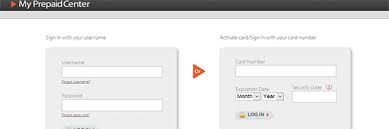
Access your account in My Prepaid Center or have your MasterCard or Visa cards activated at www.myprepaidcenter.com. Take full advantage of My Prepaid Center’s great features when you login to your account. When you login to your account, you will be able to manage and create your own personal profile, check your current balance, view transaction history, manage your account and you can also add more cards to your My Prepaid Center account.
If your new prepaid MasterCard or Visa card has not yet been activated, you can have it activated through myprepaidcenter.com. All you need to do is to enter your prepaid card number at the designated box, its expiration date and the cards security code. Your card’s security code is a 3-digit code located on the back of your card. After filling in the necessary information for your card activation, click the box with “I am not a robot” description and a pop-up window will appear where you will be asked to select the right image. After successfully selecting the right image, click the “LOG IN” button to proceed.
Using Your MyPrepaidCenter Account
As a prepaid card holder it is very important that you are always aware of your current balance, your card will be declined if your purchase total exceeds your current card balance. Using my prepaid center tools you can determine your cards limit. Some cards may or may not be accepted by some merchants so it is also important to know the specific group of merchants where your card is accepted. With an account in my prepaid center you will have the confidence of using your prepaid MasterCard and Visa card.
If your card is stolen or lost, you may contact the toll-free number, which you can see at the back of your card, and have your card replaced for free. After the first replacement, a replacement fee will be changed for each one after. Make sure to manage your account in my prepaid center to access your 30 days transaction summary and your recent transactions.
Find the correct prepaid card center
Search results may show phrases such as “my prepaid center com,” “prepaid card center,” or “www prepaidcenter com.” These phrases do not always point to the same company. Start with the name and instructions printed on your card, card carrier, or award email.
If the materials name My Prepaid Center, open the company’s official website. Check the spelling before entering card or personal information. Avoid search ads and pages that ask you to install software, send a payment, or share a one-time security code.
If your card names a different prepaid card center, use that provider instead. Similar card programs can have different sign-in systems and support teams.
Check a balance when you cannot sign in
If the normal account screen is unavailable, look for an automated balance option at the customer service number printed on the card. Have the card nearby because the system may request card details or another verification item.
If the balance shown does not match your records, review pending purchases, declined attempts, refunds, and recent transactions when access returns. A pending transaction may appear differently from a completed one. Contact the card support team shown on the card if a transaction is unfamiliar or the balance still seems wrong.
Get help with an ID.me problem
ID.me is a separate identity-verification service. Its help center cannot normally resolve a My Prepaid Center card, balance, or transaction problem. Use ID.me support only when the screen specifically says that ID.me verification failed.
For ID.me help, go to the official ID.me Help Center and choose the topic that matches the error. Have these details ready:
- The agency or service you were trying to access
- The exact error message
- The email address connected to your ID.me account
- A screenshot with sensitive numbers covered
Do not rely on a phone number copied from an unofficial search result. Support options can depend on the issue and may change. Use the contact choices displayed inside the official help center. If the problem concerns the prepaid card itself, return to the support information printed on the card.
Was this page helpful?
Be the first to rate this page