CenturyLink Account Portal
Verified contacts
Taken from the company's own website and checked on 2026-08-25. Companies change these — if something does not match, the official site wins.
- Phone
- 1-800-244-1111
- Phone
- 1-866-963-6665
- Phone
- 1-800-201-4099
Support hours: Monday - Friday 8 am - 6 pm Local time Customers using a TTY device may con
Official website: centurylink.com
Be the first to rate this page
Enroll for your access to CenturyLink online membership through www.myqwest.com. Input the email address and password that you have associated with your account. Interested users will have to sign up for an access first before entering the portal.
You have to choose the type of account during the registration process. Depending on your purpose, select between the Business level and Home level credentials. Registered members of Century Link can use various options and useful features. You can pay your bills electronically or manage your settings through the dashboard at myqwest.com. Available options also include changing of email address, password reset, set security query and answer, and new account creation. Locate the sign in area for your quick and easy enrollment process.
Benefits of MyQwest and Century Link Membership
- Live online assistance and help related resources
- Direct communication through phone
- Quick solutions to account related issues
- Locate your movies and television shows
- Networks include Adult Swim, AMC, ABC and more
- Option for Live TV and premium channels series
- Online streaming service for live and active broadcasts
There are various resources that will cater for your required features. Navigate to your dashboard and find more information regarding your chosen product. You can also choose to perform your tasks by online means as an added convenience.
More Resources by Century Link
You can gain useful information regarding your preferred services and products. The support center is your trusted source for resources such as:
- Online bills payment
- Payment through phone
- Block undesirable calls
- Assistance with your password and username
- Voicemail set up instruction
- Reapply for disconnected service
- Late payment resolution
- Programs and assistance for low income clients
Do not hesitate to connect with your customer care representative if you have issues with the product. You may also send your enquiries, comments or suggestions in email at My Q West. General inquiries and ordering tasks will be forwarded to the assistance desk. The chat service is open for clients 24 hours daily. Product related issues with your account, billing, and sales together with installation scheduling are also dealt with.
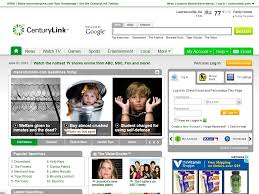
Technical support is also available in case you require repair or troubleshooting. The chat support is always available every Monday through Friday, 24 hours daily. Repair services by phone and TV service support can be reached through individual hotlines.
Direct your problems and inquiries to the guidance center. The troubleshooting center is also open to receive your maintenance issues. Refer to the online guide and the frequently asked questions for additional information on your technical troubles. Use the repair ticket and send it with the complete details of your issues. To connect with the ordering services, please dial 877-720-3428. For customer billing, moving and general related services, dial 877-837-5738. Payment related concerns must be directed to the payment specialist at 800-423-8994. Disconnection or cancellation of services must be forwarded to the agents at 877-803-8414. You may send your email to [email protected] and [email protected].
How to ask CenturyLink for customer service in Spanish
When you contact CenturyLink, say “Spanish, please” or “Necesito ayuda en español” as soon as an agent answers. If an automated menu offers a language choice, select Spanish before choosing the reason for your call.
Have the account holder’s name, service address, and account number ready. For a billing question, also note the date and description of the charge. For a service problem, write down what is not working and any error message shown on the equipment or screen.
Explain one issue at a time. You can use a short sentence such as “Necesito ayuda con mi factura” for a bill, “No tengo internet” for an internet outage, or “Quiero cambiar la información de mi cuenta” for an account change.
If the first agent does not speak Spanish, ask for a Spanish-speaking representative or an interpreter. Do not provide a password, sign-in code, or full payment-card details to someone who contacts you unexpectedly.
Getting Spanish help through the CenturyLink site
Go to centurylink.com and open the customer support area. Look for a language setting marked “Español” or a chat option. Language choices can differ by page, so the Spanish setting may appear in the page menu, footer, or support window.
Before starting a chat, sign in if the issue involves private account information. Then prepare a short description that the agent can read quickly:
- “No puedo entrar en mi cuenta.”
- “Necesito explicar un cargo de mi factura.”
- “Mi servicio no funciona.”
- “Necesito hablar con un representante en español.”
If the chat starts in English, paste the last sentence and wait for the agent to transfer the conversation or arrange language help. Save the chat reference number or take screenshots of the final instructions before closing the window.
If you cannot sign in, do not keep guessing the password. Use the account recovery option first. If recovery fails, tell support which step failed, whether the email or phone on the account is still available, and the exact error message you received.
Was this page helpful?
Be the first to rate this page