Your AT&T Reward Center Benefits
Verified contacts
Taken from the company's own website and checked on 2026-08-25. Companies change these — if something does not match, the official site wins.
- Phone
- 1-800-331-0500
- Phone
- 1-800-288-2020
- Phone
- 1-844-249-5043
Official apps: Google Play · App Store
Official website: att.com
Be the first to rate this page
Create your login to claim your online rewards and use your account through www.rewardcenter.att.com/reward. You are a click away from activating your new card as well as checking your remaining balance. Manage your account with all its services by registering a unique login credentials.
Obtain a quick access to important tips including how to get the most from your RewardCenter.ATT.com/Reward. Check your status often because your reward usually arrives within a span of three weeks. Please claim your reward as soon as it arrives because all offers have a Claim by Date tag. You will only have a maximum of 30 days to claim your reward starting from the day of your notification. Claims will not be accepted after the expiration date of offers.
How to Use the RewardCenterATT
The following are your directory list for each type of account and its corresponding number:
- U-verse: Account number
- High Speed Internet: Your account no. without the customer code
- High Speed Internet Direct Rewards: Your High Speed Internet Direct account number
- DIRECTV Rewards: Your Account no. associated with DIRECTV service
- Wireless Rewards: Your wireless telephone number
- Digital Life Rewards: Your Digital Life no.
- All other reward types: Use your telephone no. for home billing
Start by locating your claim or billing number. You can also find your claim no. in the notification letter that you have received. Your billing number is found on the upper right hand corner of your bill and can be used as your log in. The billing account no. that you use will depend on the type of service that you have applied for.
You can only add accounts that are eligible. Stay updated with all the news and promotions that matches with your preference. You can do any claims immediately after making a purchase. Remember that the service must be active for at least 30 days before your claim can be processed. You will receive instruction on how to claim your rewards through mail within a span of four weeks. Make a claim before the stated expiration date. After the 30 day service requirement, you will receive your reward within three weeks from Reward Center ATT.
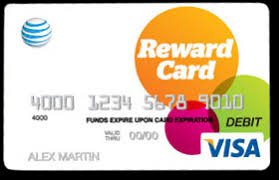
You can use the AT&T Reward Tracker as a personal timeline. It will track your rewards at any point. The details can also be sent through email or text notifications.
For any problems regarding your claims, please navigate to the FAQs page and see if your issue is on the list. You may also contact the help desk by dialing 1-800-288-9983. Help is available from Monday to Friday at 7am until 7pm.
Sign in and enter your password
Open att.com and choose the sign-in option. Enter the email address or login ID requested on the screen, then enter your password in the password field. Passwords are case-sensitive, so check capital letters, spaces, and your phone’s autocorrect before trying again.
If the page asks you to enter an email and password, use the credentials created for that specific portal. Your regular AT&T account password may not work in a separate reward or card-access area.
If you cannot enter your password or the page keeps returning to the login screen:
- Use the show-password icon, if available, to check what you typed.
- Close extra sign-in tabs and reload the page.
- Turn off autofill and type the login information manually.
- Use the password-reset option instead of making repeated guesses.
- Check your email for the reset message, including the spam folder.
Never give a password or one-time security code to a caller. A support representative may verify your identity, but should not need you to read your complete password aloud.
My Access Center and unfamiliar sign-in pages
“My Access Center” may appear as the name of a sign-in portal or access-management screen. Before entering a password, confirm that you reached it from att.com or from a message you were expecting. Check the company name shown on the page and make sure the browser does not display a security warning.
If the page looks unfamiliar, do not keep entering passwords. Return to the company’s main site and start again. A saved bookmark, old email, or search result can lead to an outdated page. If your login works elsewhere but not in My Access Center, ask support which user ID that screen requires.
Contact the customer support call center
Use the customer service or customer care center when self-service cannot identify your account, the password reset never arrives, or the portal shows information that does not belong to you. Before calling, have the notice or screen in front of you, along with the name on the account and the email address or user ID you tried.
Describe the exact step where you are stuck. Read the error message word for word and say whether the problem occurs before or after you enter your password. If you already tried a reset, tell the call center customer support agent when you requested it and whether any message arrived.
Ask the agent to identify the correct portal and explain the next step. Do not ask the customer call center service agent to choose or enter a password for you.
When a screen says “Enter tracking number”
Use only the identifier specifically labeled “tracking number” in the related shipping notice or status message. Do not substitute another account or claim identifier unless the screen or support agent clearly says it is accepted.
Enter the characters without added spaces. If copying and pasting fails, type the number manually and check similar characters such as zero and the letter O. If no tracking number was provided, contact support and name the item or notice you are trying to track.
Was this page helpful?
Be the first to rate this page