Green Dot Prepaid Cards – GreenDot.com/Activate
Be the first to rate this page
Green Dot Prepaid Cards
offers at www.GreenDot.com/activate lets you activate your card and gives you multiple features for ease of use and convenience of using your card.
Green Dot Mobile Phone App
You can get Green Dot on your Mobile Phone and Check your balance and transactions 24/7. You can then register or activate your card on the go. You can also find MoneyPass ATM’s right from your phone to reload.
You an also just text to get your balance.
Just download the App at the Apple Store or get it on Google Play. The best part of the Green Dot App is that it is free.
What Locations Can I Find The Green Dot PrePaid Card?
You can also do it the old way, Green Dot Card products can be found at a variety of retailers such as CVS Pharmacy, Rite Aid, Kroger, 7-Eleven, Walgreens and many other retailers.
Using Your Green Dot Prepaid Card and Fees
You can use your new card to Shop online, pay bills, and make everyday purchases.
The Green Dot prepaid card is Issued by Green Dot Bank, a MEMBER of FDIC which means your money is protected.
There is no minimum balance or overdraft fees with this card. No credit card debt when using a prepaid card.
You can use your card to access cash at 24,000+ FREE MoneyPass® ATMs.
Fees apply,see Simple Fee Plan
At non-MoneyPass ATMs, $2.50 for withdrawals and $0.50 for balance inquiries, plus any ATM owner fees.
There are no fees when applying for your card online.
Direct Deposit your pay check or government benefits for free.
About Green Dot Corporation:
According to Wikipedia –
Green Dot Corporation is an issuer of prepaid MasterCard and Visa cards in the United States. These products are available at more than 60,000 retail stores, including CVS, Rite Aid, Walgreens, RadioShack.
They are headquartered in Monrovia, CA.
These Cards are provided by Green Dot Corporation and issued by Green Dot Bank, Member FDIC. Your money on a registered Green Dot card is insured by the FDIC.
You can activate the card at www.GreenDot.com/activate
Green Dot Prepaid Cards are just a smart idea. Apply now.
You must be at least 18 years old to register as a primary cardholder.
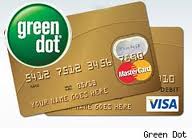
How to check a Green Dot gift card balance
First, check the name printed on the card. Green Dot sells prepaid debit products, and a card described casually as a “gift card” may actually be a reloadable prepaid card. The correct balance-check process depends on the exact product name.
Have the physical card ready, then open the company’s official website. Choose the option for your card product and sign in if the site asks you to. If the card does not use an online account, look for a balance-check option and enter only the card details requested on the screen.
Use the official site printed on the card or its packaging. Avoid search results that ask for payment, bank credentials, or remote access to your phone. A legitimate balance check should not require your email password or the sign-in details for another financial account.
If the card is rejected or the balance looks wrong
Check each card number carefully and enter the expiration date and security code in the format shown. If several attempts fail, stop and try again later instead of repeatedly submitting the same details. Too many attempts may trigger a temporary security restriction.
A displayed balance may differ from what you expected because a recent purchase is still pending, a canceled transaction has not finished reversing, or a merchant placed a temporary authorization hold. Review the transaction list and compare the dates and merchant names with your receipts.
- If a purchase is pending, wait for it to post or disappear before treating the balance as final.
- If you do not recognize a transaction, lock the card through the account controls if that option appears, then use the support instructions printed on the card.
- If the card was just purchased and shows no usable balance, keep the card, packaging, and purchase receipt together. The receipt may be needed to confirm that checkout activation was completed.
- If the card is damaged or the details cannot be read, contact Green Dot through the verified support route shown on the card or after signing in.
Before using the remaining balance
Check the available balance, not only the account total. Pending transactions can make part of the funds unavailable. When paying, remember that some merchants request a temporary authorization above the expected final charge.
Do not share the card number, expiration date, security code, sign-in code, or account password with anyone offering to “verify” the balance. Anyone with those details may be able to use the card.
Was this page helpful?
Be the first to rate this page